by admin | Dec 12, 2025 | Blog News - English, Cloud Storage
IMPORTANT: PLEASE GET TIME AND READ THIS MESSAGE
(Your suggestions and questions are welcome, please place them at the bottom)
This message is very important to users and offices that need extra online secure storage of data for maximum security.
I just come across the Office365 + 1TB Online Cloud Storage and interested to share few ideas
Office365 + 1TB Online Cloud Storage is the new Microsoft Online service that come with online applications similar to the one in our PCs including (MS Word, Excel, PowerPoint, OneNote, Outlook, Publisher, and Access) and 1 TB of data storage up to 5 users each
Installed on 5 PCs or Macs, 5 tablets and 5 phones (including Windows, Apple®, and Android™ devices).
With Office 365 subscription plans you get the fully installed Office applications on your devices: Word, Excel, PowerPoint, OneNote, Outlook, Publisher, and Access (Publisher and Access are available on PC only). You can install Office 365 across multiple devices, including PCs, Macs, Android tablets, Android phones, iPad, and iPhone. In addition, with Office 365 you get services like online storage with OneDrive and Skype minutes for home use. When you have an active Office 365 subscription, you always have the most up-to-date version of the Office applications. Learn more.
Office as a one-time purchase includes applications such as Word, Excel, and PowerPoint for use on a single PC or Mac. The applications are not automatically updated; to get the latest version, you must purchase Office again when the new version becomes available. Current Office application versions available for one-time purchase are Office 2016 for Windows and Mac. Previous versions include Office 2013, Office 2011 for Mac, Office 2010, Office 2007, Office 2008 for Mac, and Office 2004 for Mac. Office 2010 and Office 2007 are compatible with Windows 8.1 and earlier. Office as a one-time purchase does not include any of the services included in Office 365.
Applications can be available on these devices:
PC: Office 2016 versions of Word, Excel, PowerPoint, OneNote, Outlook, Publisher, and Access. Windows 7 or later required.
Mac: Office 2016 versions of Word, Excel, PowerPoint, and Outlook. Office 2016 for Mac requires Mac OS X 10.10.
Windows tablet: Office 2016 versions of Word, Excel, PowerPoint, OneNote, Outlook, Publisher, and Access. Windows 8 or higher required. Office Mobile applications (Word, Excel, PowerPoint, and OneNote) require Windows 10.
Windows phone: Office Mobile applications (Word, Excel, PowerPoint, OneNote, Outlook Mail, and Outlook Calendar) require Windows 10.
iOS: Office for iPad® and iPhone® requires iOS 8.0 or higher. Office for iPad Pro® requires iOS 9.0 or higher.
Android: Office for Android™ can be installed on tablets and phones that meet the following criteria: running Android KitKat 4.4 or later version and have an ARM-based or Intel x86 processor.
If we subscribe office 365 Home edition we get storage for 5 members, 5 PCs and 5 Mobile devices each associated with 1TB of online disk storage space.
You can use 1 TB of OneDrive cloud storage for documents, photos, and videos, so you can edit and share them from anywhere, on all your devices.
You will be always in touch with all of your friends and members around the globe with free 60 monthly Skype minutes per user, for up to 5 users. Use Skype minutes to call mobile phones and landlines from any device where you have Skype installed, whether it’s your mobile phone, tablet, TV, or other device!!
With an active Office 365 Home subscription, you never have to worry about upgrading your Office, because you always have access to the latest Office applications, features, and services.
As an Office 365 subscriber, you can get help right away from Microsoft-trained experts, by phone or chat—at no extra charge.
All these applications, storage and benefits are sold at $9.99/mouth OR $99.99 per year (Save 16% with an annual subscription)
Suggestion and recommendations:
- Your office need an online storage for more security of data
- In our PCs and laptops we use MS Application hence assured of business continuity
- Your office has also a chance to install latest and genuine office applications to our PC and mobile devices
- You are used to operate these applications hence no extra training needed to use the services and applications
- The storage is wonderful, one user get 1TB equal to 1024GB (our normal laptops have only 500GB half of it and still we cannot use them all)
- With this storage you can store almost everything. You do not need to logon every time to use this service, an IT person will just configure this service on your PC, Smartphone/Tablet and all synchronization will be done automatically provided that you are connected to the internet.
- Five (5) users are enough to start with for a small office with these departments/units; CEO Office/Principal, Accounts and Administrations, Programs/Academics and other 2 department/units with sensitive data that need security.
- With this services you can securely and instantly share files everywhere you are and you do not necessarily need to be in your PC/Laptop.
- Online applications are upgraded automatically and hence you need not to do something extra to achieve this

by admin | Dec 12, 2025 | Blog News - English
A good google optimized and user friendly itinerary must follow the following structure and flow
- It must contain a title that summarize the whole itinerary in less than 60 characters with spaces. The title must contain at least three parts which are 1) duration, 2) activity and 3) destination/location for the attraction
- Associate with Featured image or gallery or slideshow of image size between 1366px to 1920px width fine texture and most relevant to the itinerary on question
- Put the itinerary summary, briefing or highlights in one, two or three words
- It must also contain an itinerary summary or highlights, pinpointing the important parts of your itinerary to enable the reader understand the whole itinerary before continue to read the whole page
- Provide the subheading of all day activities descriptions
- Provide the subheading for day activities that summarize the whole day itinerary in less than 60 characters with spaces
- Provide also the day activities summary or highlights, pinpointing the important parts of your day program to enable the reader understand the whole day allabouts
- At the end you can optionally provide the itinerary indicative price or full price
- Associate with itinerary pricing terms highlighting what the price include and what not
- At the end provide the booking request form and or online payment link
Below is the attributes of the above mentioned sections:
1.) The title is the title meta tag in html format at the HEAD section and must also form the page main HEADING with H1 status
Example
7 Day Safari to Tanzania, Kenya and Uganda
2.) The featured image or gallery or slideshow of image size between 1366px to 1920px recommended and this depend on the layout of the website and targeted screens resolutions. This suggestions based on the fact that most resolution as on 18 Feb 2018 is between 1366px to 1920px. The image must be in png, gif or jpeg with alternative text well written with keyword that explain all about the image.
3.) The Summary, Highlight, Briefing subheading is the H2 heading that introduces the itinerary to the reader. it must be short, capturing the important parts of the whole itinerary. Normally this type of heading must be in H2 with fewer word at around one, two or three
Example
Program Summary
Itinerary Highlights
Itinerary Briefing
4.) Content description here in form of paragraph, table or bullets
Example
- Itinerary duration: 7 days
- Program timing: June to February each year
- Destinations: Tanzania, Kenya and Uganda
- Destination activities: Gamedrive, nature walk, Cultural tour, Gorila tracking
- Enroute activities: shopping, historic site visit,
- Max number of people: 6
- Safari packlist: The luggages must be as light as possible, Camera (optional), Safari boots and clothes with light colors like khaki etc (2 trousers, 2 shorts, 2 tshirt and 5 underwears, pyjamas, swimming costume, flip-flops or sport sandals (public showers, airing feet), 5 pairs of socks, sunshine hat and glasses for dust prevention, binoculars (optional) and shoelaces. More items are found in the main page of Safari packlist
5.) Provide also the sub heading for all day activities and it must be short like one, two or three words
example
Detailed Itinerary Description
6.) Provide the sub heading in H3 for each day activity and it must be less than 60 characters with spaces
example
Day 1: Guest Arrival and Safari Briefing
7.) Provide each day details and other content description for day one here in form of paragraph, or bullets
example
- Pickup guest at the Airport and transfer to the hotel in the starter point
- Explain to guest the whole safari highlights and requirements
- Overnight stay ready for the next day travel
- Travel from starting point to destination 1
Repeat the same for the other days
8.) Indicative prices subheading in H2
Example
Indicative Price
9.) Indicative prices details in form of sentence or table
Example
The price are estimated based on the number of people travelling and the total duration taken to finish the safari
- One person = US$ 1500
- 2-3 persons = US$ 1400/person
- 3-6- persons = US$ 1300/person
- 7-10 persons = US$ 1200/person
- Above 10 please contact us
10.) Pricing Terms subheading in H2
Example
Pricing Terms
11.) Pricing Include and Exclude Terms subheading in H3
Example
Price Include
12.) Pricing Include Terms content description for price include here in form of lists
Example
- Pickup and transfer from and to the airport to the startup or ending point
- Full board accommodation as per itinerary
- All park fees
- 4 Wheel Drive with a driver and first AID Kit
- Safari lunch box and waters
- Add to this list according to your policy
Price Exclude
- Vaccination fee
- International travel
- VISA and related fees
- Extra cost caused by itinerary change by client
- Expenses of personal nature
- Expenses not mentioned in include list
- Add to this list according to your policy
13.) Booking and or online payment subheading in H2
Example
Request booking for this itinerary now
Pay online this itinerary to book now
Put here the Booking Form or link to online payment
by admin | Dec 12, 2025 | Blog News - English, Emails, General Webmaster Issues
The instructions below outline how to set automatically or manually your email with Microsoft Outlook 2007 either through POP or IMAP. It is recommended to start with auto method and if for some reason fails then go for manual method.
Auto setup
Mail application “Microsoft Outlook 2007® for Windows®” can automatically detect this email account’s settings.
- Choose to set up a new email account in “Microsoft Outlook 2007® for Windows®”.
- When “Microsoft Outlook 2007® for Windows®” prompts you for the email address, enter “[email protected]”.
- Use your cPanel account password as the password.
If the auto-configuration fails, please set up the account using the manual settings.
Manual setup
Secure SSL/TLS Settings
(Recommended)
Username:
[email protected]
Password:
Use the email account’s password.
Incoming Server:
altar21.supremepanel21.com
- IMAP Port: 993
- POP3 Port: 995
Outgoing Server:
altar21.supremepanel21.com
Authentication is required for IMAP, POP3, and SMTP.
by admin | Dec 12, 2025 | Blogu ya Kiswahili
UTANGULIZI
Unapotaka kuhost website ndogo, uchaguzi wa hosting ni rahisi kwani shared hosting itakupa vitu vyote utakazozihitaji kwa bei rahisi. Lakini website yako inavyozidi kuwa maarufu na kuwana functions nyingi ugomvi na shared hosting server unakuwa mkubwa na suluhisho pekee ni kuhamia kwenye server zenye kutoa ubora zaidi kwenye rasilimali za server. Hosting hizo zinaitwa VPS, Semi Dedicated na Dedicated servers. Zote tatu zinakupa IP address ya kwako mwenyewe na server ya kwako mwenye.
Fuatilia tofauti zao hapa chini
- Semi Dedicated server (Hii huduma unasimamiwa na data center administrators kama ilivyo kwenye shared hosting. unakuwa na server yako mwenyewe hivyo ukipatwa na tataizo ni wewe mwenyewe. bei ni kuanzia elfu 80 kwa mwezi na kuendelea)
- VPS (Hii huduma ni kama hapo juu ila wewe mwenyewe ndio unasimamia server. unakuwa na server yako mwenyewe hivyo ukipatwa na tataizo ni wewe mwenyewe. bei ni kuanzia elfu 80 kwa mwezi na kuendelea)
- Dedicated server (Hii huduma ni kama hapo juu ila wewe unamiliki device yote mwenyewe na mwenyewe ndio unasimamia server. unakuwa na device yako mwenyewe na server yako mwenyewe hivyo ukipatwa na tataizo ni wewe mwenyewe. bei ni kuanzia laki 3 kwa mwezi na kuendelea)

Kwa website zinazotembelewa sana na zinafuntion muhimu zenye kuhitaji umakini wa server, VPS ni nzuri au Semi dedicated server. Chagua VPS kama una mtaalamu wa kusimamia au chagua semi dedicated kama huna mtaalamu kwani semi dedicated server inakupa functions zote na service itasimamiwa na data center administrators kwa niaba yako.
Kama biashara yako inatunza nyaraka muhimu za wateja kama credit cards na akaunti za fedha ahasa kwa mabenki na taasisi za malipo online, tafadhali chagua dedicated server ili uwe na umiliki wa server kwa asilimia 100.
by admin | Dec 12, 2025 | Blog News - English, General Webmaster Issues, Websites Problems
INTRODUCTION
The 403 Forbidden error is an HTTP status code which means that access to the page or resource is absolutely not allowed for some reason.
This article contains basic troubleshooting instructions for 403 Forbidden error.
ERROR MESSAGE
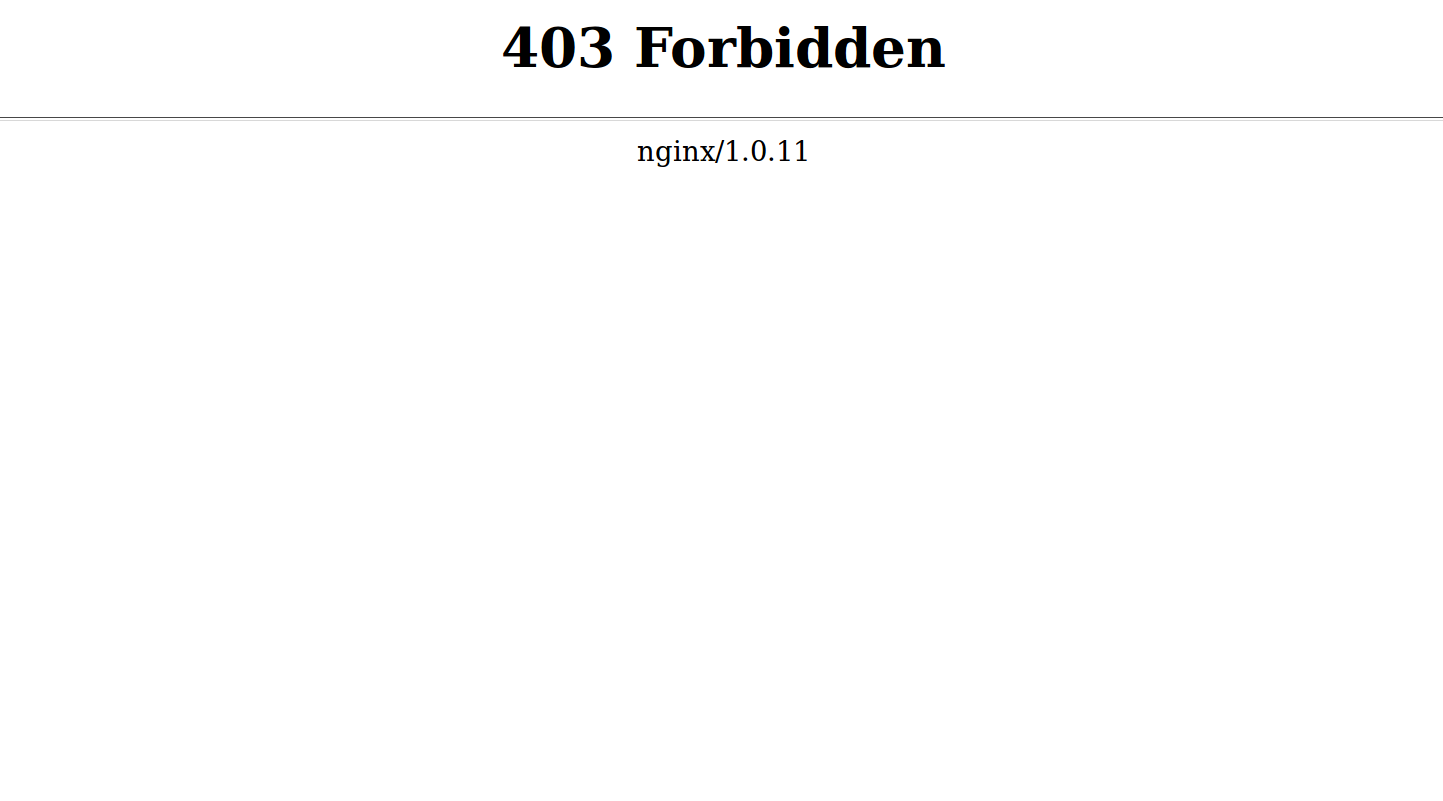
You get the following error when you try to visit a web page:
403 Forbidden
Figure 1.
Causes and Solutions
403 Forbidden errors is caused by three common causes. Here they are listed from most likely to least likely.
Make sure that your website content has been uploaded to the correct directory on your server. Remember to replace example.com with your own domain name.
If this folder does not exist, feel free to create it.
No index page
The home page for your website must be called index.php or index.html.
To resolve this error, upload an index page to your directory.
If you already have a home page called something else – home.html for example – you have a couple of options:
- Rename your home page to
index.html or index.php.
- Set up a redirect on the index page to your real home page.
- Set a different default home page in your file.
If you don’t want a single page to display, but instead want to show a list of files in that directory, see .
The errors
A 403 Forbidden error can also be caused by incorrect ownership or permissions on your web content files and folders.
Permissions
Rule of thumb for correct permissions:
Follopw the folders or files new rules
- Folders: 755
- Static Content: 644
- Dynamic Content: 700
1445